> ## Documentation Index
> Fetch the complete documentation index at: https://developer.eka.care/llms.txt
> Use this file to discover all available pages before exploring further.
# Patients Management App
> Building a patients management app using the Eka Care SDK's patients module.
## What We're Building
A patients management app that demonstrates:
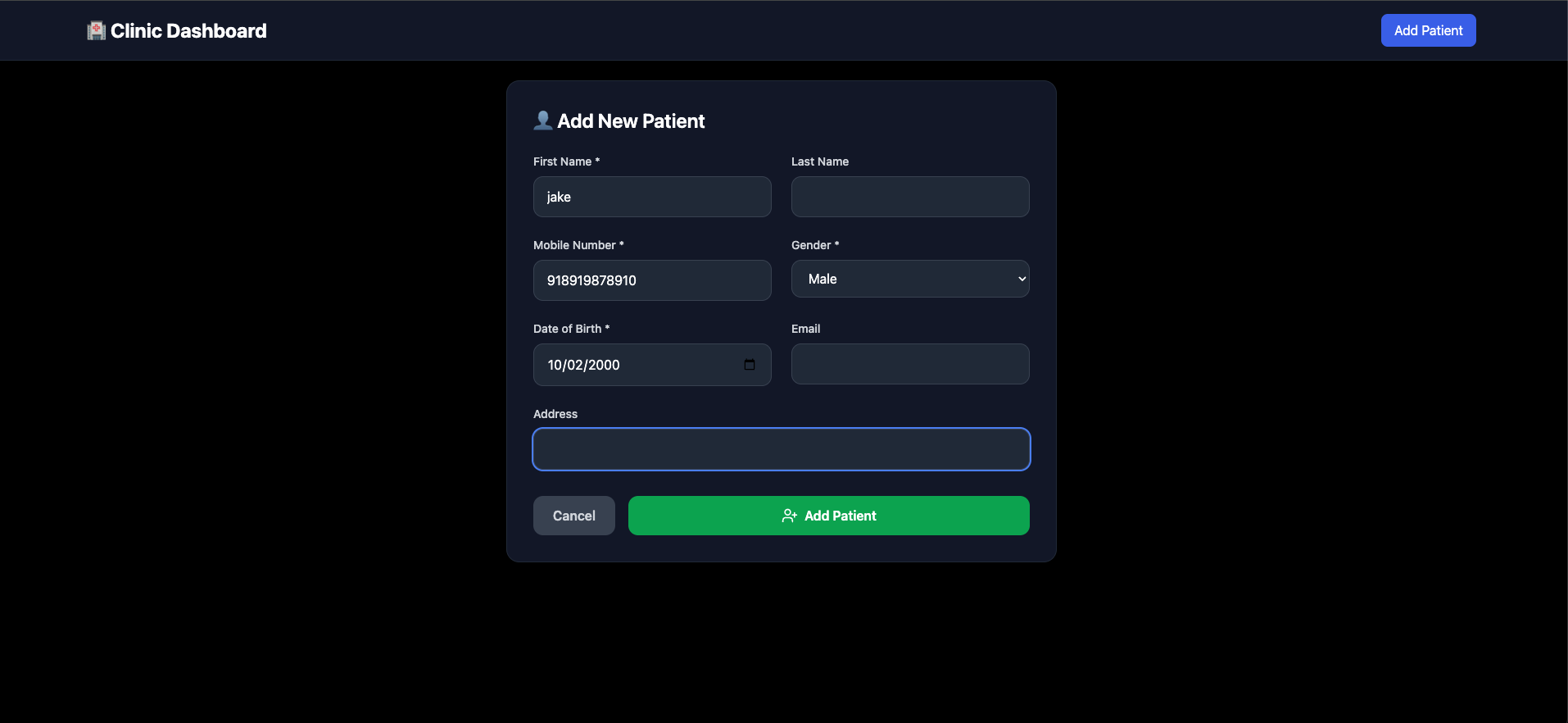
* Adding new patients to directory
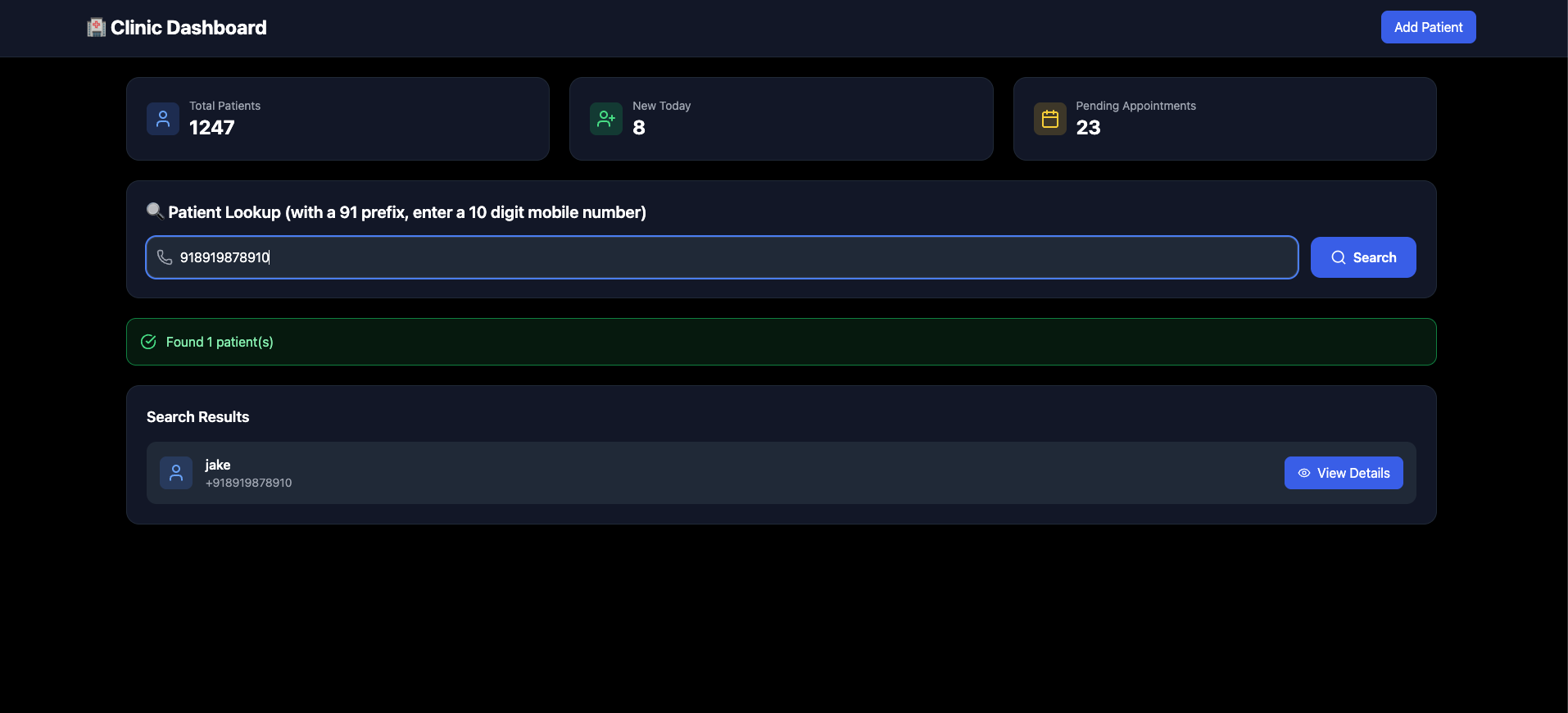
* Searching patients by mobile number
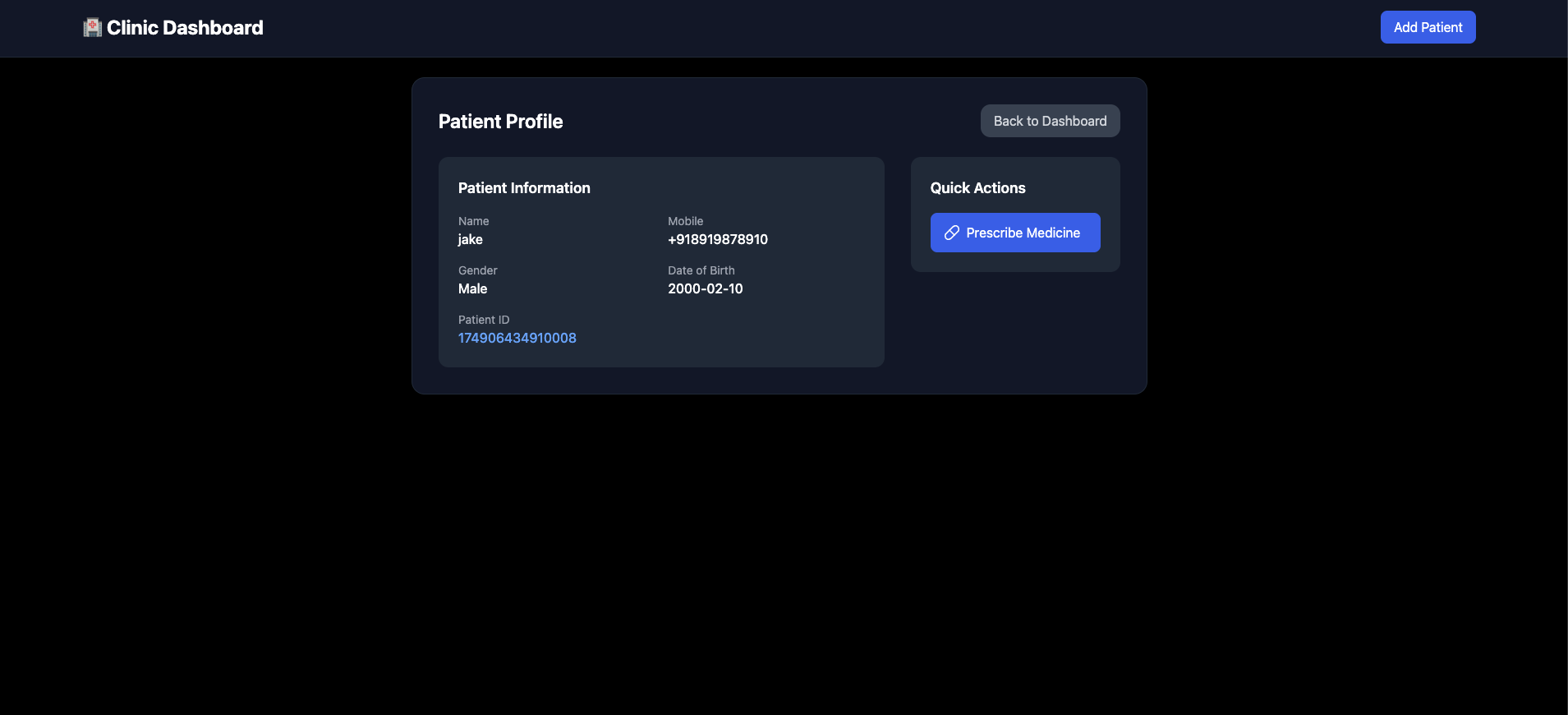
* Getting patient details by ID
* Updating patient information
# Final product
adding a patient
 Searching for patient with mobile number
 getting more details about a patient
 ## Create Next.js App
```bash theme={null}
npx create-next-app@14.1.0 patients-app
cd patients-app
```
## Install Eka Care SDK
```bash theme={null}
npm install @eka-care/eka-care-core
```
## Setting Up Backend Auth
Head to this [repo](https://github.com/eka-care/ekathon-nextjs-auth-template-api) and you will have a deployed live running backend in 1 click.
## Building the Patients App
Replace `pages/index.js` with:
```javascript theme={null}
import { useState, useEffect } from 'react';
import createEkaInstance from "@eka-care/eka-care-core";
export default function PatientsApp() {
const [ekaInstance, setEkaInstance] = useState(null);
const [newPatient, setNewPatient] = useState(null);
const [patient, setPatient] = useState(null);
const [patientDetails, setPatientDetails] = useState(null);
useEffect(() => {
initializeSDK();
}, []);
const initializeSDK = async () => {
const authRes = await fetch("https://your-backend.vercel.app/api/manage-auth", {
method: "POST",
headers: { "Content-Type": "application/json" },
});
const authData = await authRes.json();
const ekaInstanceResult = createEkaInstance({
source: "FE",
auth_token: authData.data.access_token,
backendAuthEndpointURL: "https://your-backend.vercel.app/api/manage-auth",
});
setEkaInstance(ekaInstanceResult);
};
// Add new patient to directory
const addNewPatient = async () => {
const patient = await ekaInstance.patients.addPatientToDirectory({
first_name: "John",
gender: "M",
mobile: "918074106021",
dob: "2004-08-01",
});
setNewPatient(patient);
};
// Search patient by mobile number
const searchPatient = async () => {
const foundPatient = await ekaInstance.patients.searchPatientByMobile({
mobile: "918074106021",
});
setPatient(foundPatient);
};
// Get patient details by ID
const getPatientDetails = async () => {
const details = await ekaInstance.patients.getPatientDetailsById({
patient_id: "174860072074280",
});
setPatientDetails(details);
};
// Update patient details
const updatePatientDetails = async () => {
const updatedPatientDetails = await ekaInstance.patients.updatePatientDetails({
patient_id: newPatient.patient_id,
first_name: "John Updated",
address: {
city: "BLR",
country: "IN",
},
dob: "2000-10-10",
});
};
return (
);
}
```
## Key SDK Methods Used
1. **Add Patient** - Register new patients in the directory
2. **Search Patient** - Find patients by mobile number
3. **Get Details** - Retrieve complete patient information
4. **Update Details** - Modify patient information and address
## What We Built
A complete patients management application using the Eka Care SDK where patient operations are handled through simple SDK method calls.
[Live App](https://sdk-demo-ui-three.vercel.app/patients) and
[GitHub Repo](https://github.com/eka-care/web-sdk-ui-wrapper-old)
## Create Next.js App
```bash theme={null}
npx create-next-app@14.1.0 patients-app
cd patients-app
```
## Install Eka Care SDK
```bash theme={null}
npm install @eka-care/eka-care-core
```
## Setting Up Backend Auth
Head to this [repo](https://github.com/eka-care/ekathon-nextjs-auth-template-api) and you will have a deployed live running backend in 1 click.
## Building the Patients App
Replace `pages/index.js` with:
```javascript theme={null}
import { useState, useEffect } from 'react';
import createEkaInstance from "@eka-care/eka-care-core";
export default function PatientsApp() {
const [ekaInstance, setEkaInstance] = useState(null);
const [newPatient, setNewPatient] = useState(null);
const [patient, setPatient] = useState(null);
const [patientDetails, setPatientDetails] = useState(null);
useEffect(() => {
initializeSDK();
}, []);
const initializeSDK = async () => {
const authRes = await fetch("https://your-backend.vercel.app/api/manage-auth", {
method: "POST",
headers: { "Content-Type": "application/json" },
});
const authData = await authRes.json();
const ekaInstanceResult = createEkaInstance({
source: "FE",
auth_token: authData.data.access_token,
backendAuthEndpointURL: "https://your-backend.vercel.app/api/manage-auth",
});
setEkaInstance(ekaInstanceResult);
};
// Add new patient to directory
const addNewPatient = async () => {
const patient = await ekaInstance.patients.addPatientToDirectory({
first_name: "John",
gender: "M",
mobile: "918074106021",
dob: "2004-08-01",
});
setNewPatient(patient);
};
// Search patient by mobile number
const searchPatient = async () => {
const foundPatient = await ekaInstance.patients.searchPatientByMobile({
mobile: "918074106021",
});
setPatient(foundPatient);
};
// Get patient details by ID
const getPatientDetails = async () => {
const details = await ekaInstance.patients.getPatientDetailsById({
patient_id: "174860072074280",
});
setPatientDetails(details);
};
// Update patient details
const updatePatientDetails = async () => {
const updatedPatientDetails = await ekaInstance.patients.updatePatientDetails({
patient_id: newPatient.patient_id,
first_name: "John Updated",
address: {
city: "BLR",
country: "IN",
},
dob: "2000-10-10",
});
};
return (
);
}
```
## Key SDK Methods Used
1. **Add Patient** - Register new patients in the directory
2. **Search Patient** - Find patients by mobile number
3. **Get Details** - Retrieve complete patient information
4. **Update Details** - Modify patient information and address
## What We Built
A complete patients management application using the Eka Care SDK where patient operations are handled through simple SDK method calls.
[Live App](https://sdk-demo-ui-three.vercel.app/patients) and
[GitHub Repo](https://github.com/eka-care/web-sdk-ui-wrapper-old)