> ## Documentation Index
> Fetch the complete documentation index at: https://developer.eka.care/llms.txt
> Use this file to discover all available pages before exploring further.
# Health Quiz
> Building a full stack health quiz app with just 4 Function calls, using eka-care's web SDK
# What are we building
An AI based health quiz app, which can be built with just `4 fns`. where the UI is all yours and on the backend side all it takes is just 4 functions i.e,
* to start the quiz,
* generate relevant questions,
* submitting the quiz result
* generating the likelihood of developing the disease
in this app we will be using `@eka-care/eka-care-core` from NPM and Next.js to make a clean health assessment app with the SDK.
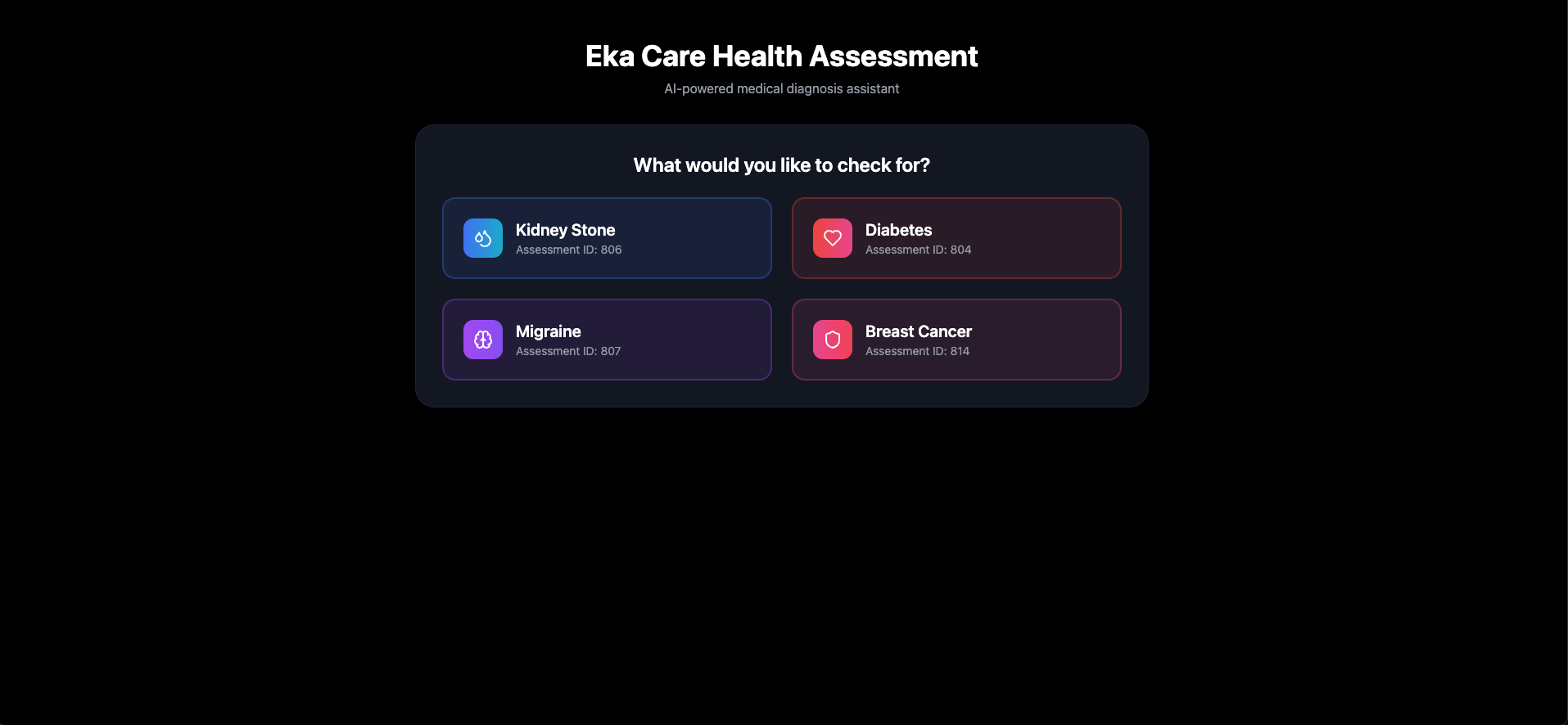
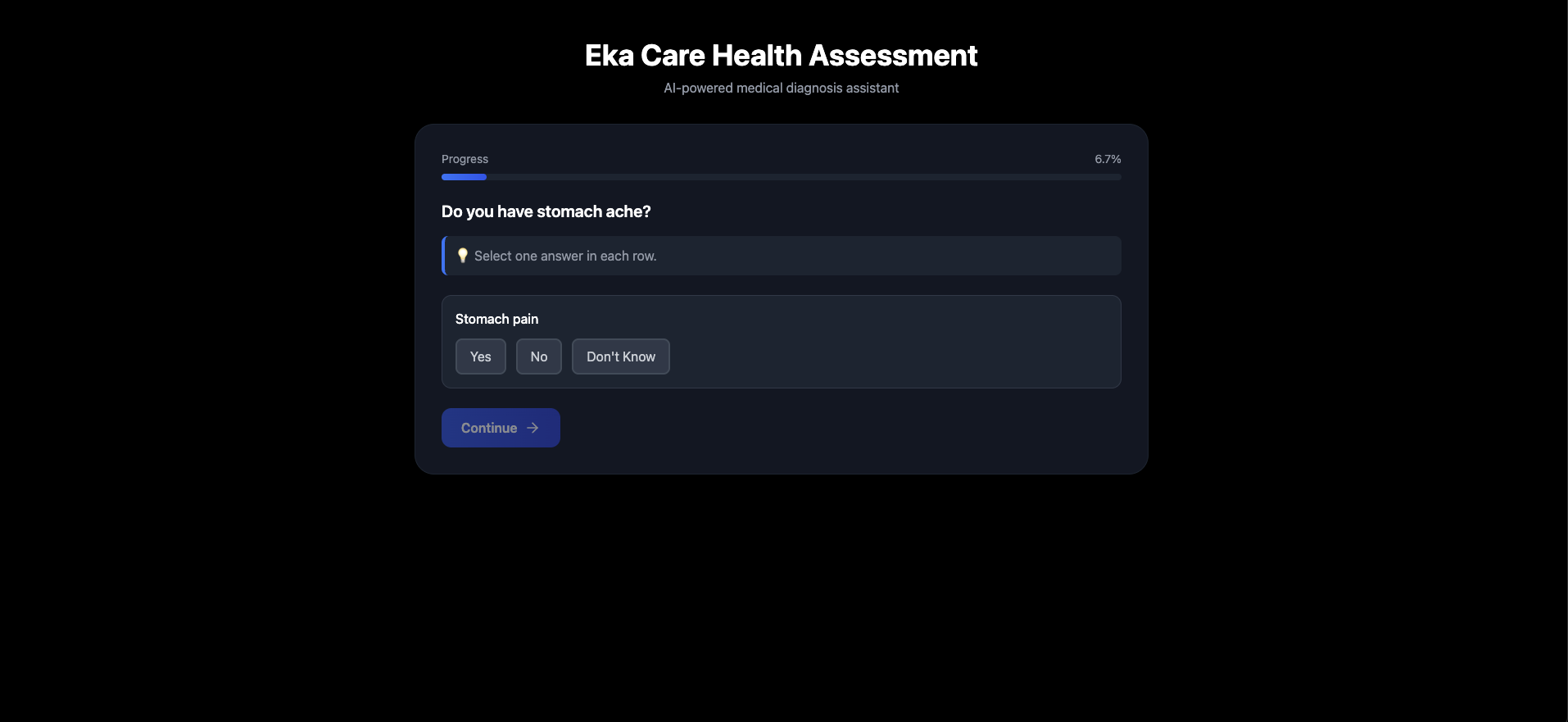
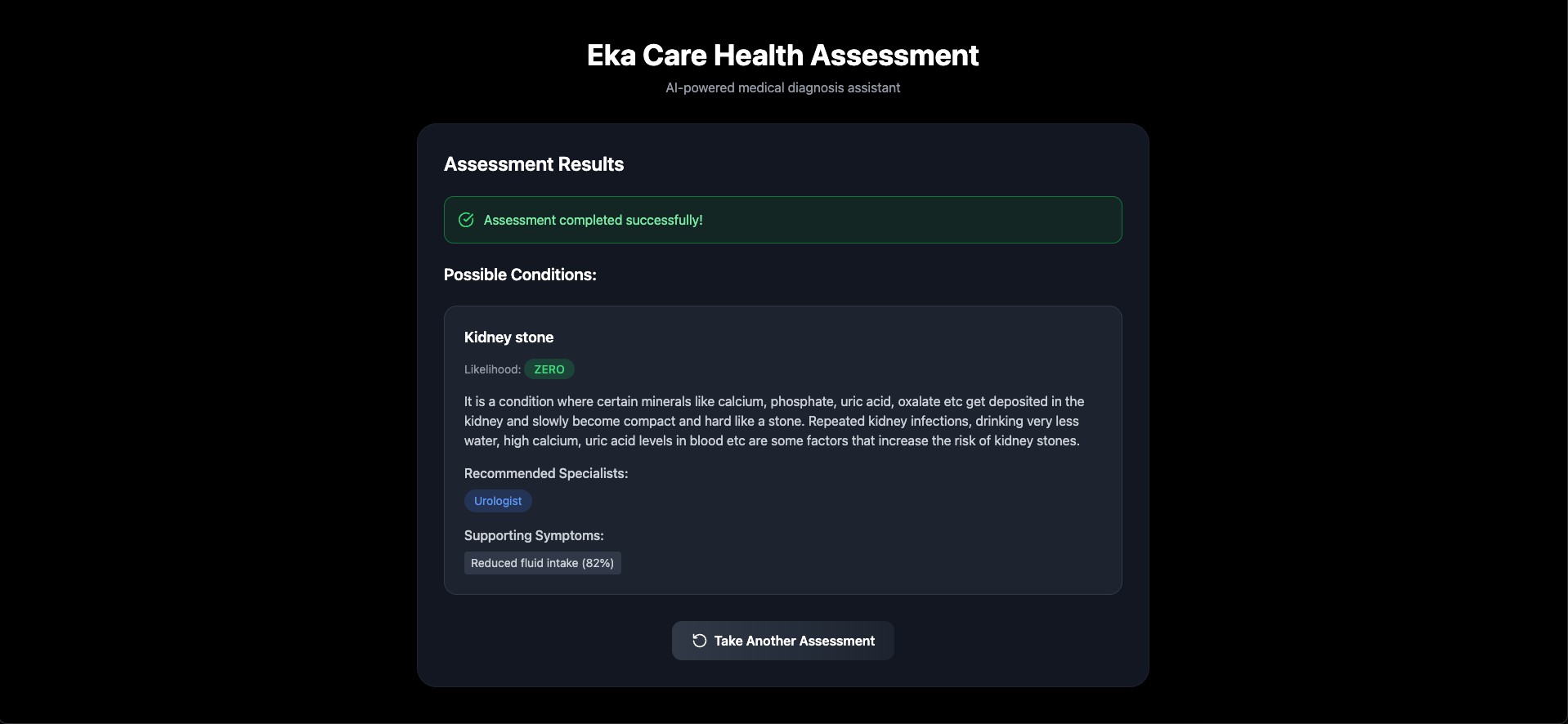
# final product
choosing the disease
 answering questions
 quiz result
 ## Create a Next.js App
```bash theme={null}
npx create-next-app@14.1.0 eka-carehealth-assessment
cd eka-carehealth-assessment
```
## Install the Eka Care SDK
```bash theme={null}
npm install @eka-care/eka-care-core
```
## Understanding SDK Initialization
The SDK can be initialized on both FE and BE. But for this app we will be initializing the SDK on FE
read more about initializing the SDK [here](https://developer.eka.care/SDKs/web-sdk/getting-started)
## Setting Up Backend Auth.
If you decide to use this on a client side app, head to this [repo](https://github.com/eka-care/ekathon-nextjs-auth-template-api) and you will have a deployed running backend in 1 click, check the `readme.md`
## Now Let's Build a Clean Health Assessment UI
Time to create our main assessment component! and Leverage eka-care's SDK
**Replace `pages/index.js` with:**
```javascript theme={null}
import createEkaInstance from "@eka-care/eka-care-core";
export default function HealthAssessment() {
const [ekaInstance, setEkaInstance] = useState(null);
const [assessment, setAssessment] = useState(null);
const [results, setResults] = useState(null);
useEffect(() => {
initializeSDK();
}, []);
const initializeSDK = async () => {
const authRes = await fetch(
"https://the-deployed-vercel-backend/api/manage-auth",
{
method: "POST",
headers: { "Content-Type": "application/json" },
}
);
const authData = await authRes.json();
const ekaInstanceResult = createEkaInstance({
source: "FE",
auth_token: authData.data.access_token,
backendAuthEndpointURL: `https://the-deployed-vercel-backend/api/manage-auth`, // this gets deployed in 1 click, please refer above
});
setEkaInstance(ekaInstanceResult);
};
const startAssessment = async () => {
const assessmentResponse = await ekaInstance.assessment.initAssessment({
client_id: "client_id_given_by_eka-care",
user_info: {
gender: "M",
age: 25,
},
workflow_id: 814,
});
setAssessment(assessmentResponse);
const startResponse = await ekaInstance.assessment.startAssessment({
assessment_id: assessmentResponse.assessment_id,
client_id: "client_id_given_by_eka-care",
});
if (startResponse.questions && startResponse.questions.length > 0) {
const firstQuestion = startResponse.questions[0];
await ekaInstance.assessment.continueAssessment({
assessment_id: assessmentResponse.assessment_id,
client_id: "client_id_given_by_eka-care",
qid: firstQuestion.qid,
user_response: "users response",
});
const finalResults = await ekaInstance.assessment.submitAssessment({
assessment_id: assessmentResponse.assessment_id,
client_id: "client_id_given_by_eka-care",
});
setResults(finalResults);
}
};
return
## Create a Next.js App
```bash theme={null}
npx create-next-app@14.1.0 eka-carehealth-assessment
cd eka-carehealth-assessment
```
## Install the Eka Care SDK
```bash theme={null}
npm install @eka-care/eka-care-core
```
## Understanding SDK Initialization
The SDK can be initialized on both FE and BE. But for this app we will be initializing the SDK on FE
read more about initializing the SDK [here](https://developer.eka.care/SDKs/web-sdk/getting-started)
## Setting Up Backend Auth.
If you decide to use this on a client side app, head to this [repo](https://github.com/eka-care/ekathon-nextjs-auth-template-api) and you will have a deployed running backend in 1 click, check the `readme.md`
## Now Let's Build a Clean Health Assessment UI
Time to create our main assessment component! and Leverage eka-care's SDK
**Replace `pages/index.js` with:**
```javascript theme={null}
import createEkaInstance from "@eka-care/eka-care-core";
export default function HealthAssessment() {
const [ekaInstance, setEkaInstance] = useState(null);
const [assessment, setAssessment] = useState(null);
const [results, setResults] = useState(null);
useEffect(() => {
initializeSDK();
}, []);
const initializeSDK = async () => {
const authRes = await fetch(
"https://the-deployed-vercel-backend/api/manage-auth",
{
method: "POST",
headers: { "Content-Type": "application/json" },
}
);
const authData = await authRes.json();
const ekaInstanceResult = createEkaInstance({
source: "FE",
auth_token: authData.data.access_token,
backendAuthEndpointURL: `https://the-deployed-vercel-backend/api/manage-auth`, // this gets deployed in 1 click, please refer above
});
setEkaInstance(ekaInstanceResult);
};
const startAssessment = async () => {
const assessmentResponse = await ekaInstance.assessment.initAssessment({
client_id: "client_id_given_by_eka-care",
user_info: {
gender: "M",
age: 25,
},
workflow_id: 814,
});
setAssessment(assessmentResponse);
const startResponse = await ekaInstance.assessment.startAssessment({
assessment_id: assessmentResponse.assessment_id,
client_id: "client_id_given_by_eka-care",
});
if (startResponse.questions && startResponse.questions.length > 0) {
const firstQuestion = startResponse.questions[0];
await ekaInstance.assessment.continueAssessment({
assessment_id: assessmentResponse.assessment_id,
client_id: "client_id_given_by_eka-care",
qid: firstQuestion.qid,
user_response: "users response",
});
const finalResults = await ekaInstance.assessment.submitAssessment({
assessment_id: assessmentResponse.assessment_id,
client_id: "client_id_given_by_eka-care",
});
setResults(finalResults);
}
};
return ...
;
}
```
## What We Just Built
Congratulations! You've just created a complete health assessment application using the Eka Care SDK. Where most LOC was just React and UI part while the whole logic of auth, refresh, starting, continuing and submitting got abstracted in just `4 fns` that we called with a simple async await. Here's what our app includes:
## Key SDK Methods Demonstrated
1. **Initialize SDK** - Create SDK instance with frontend configuration
2. **Init Assessment** - Start a new health assessment workflow
3. **Start Assessment** - Begin the assessment and get first questions
4. **Continue Assessment** - Submit responses and get next questions
5. **Submit Assessment** - Complete the assessment and get results
## Next Steps
From here, you could extend this app by:
* Integrating with the appointments module to book consultations
* Adding medication search functionality
* Building a patient management dashboard
The Eka Care SDK makes it incredibly easy to build comprehensive healthcare applications - this app just scratches the surface of what's possible!
[Live app](https://sdk-demo-ui-three.vercel.app/assessment) and [Github repo](https://github.com/eka-care/web-sdk-ui-wrapper-old)